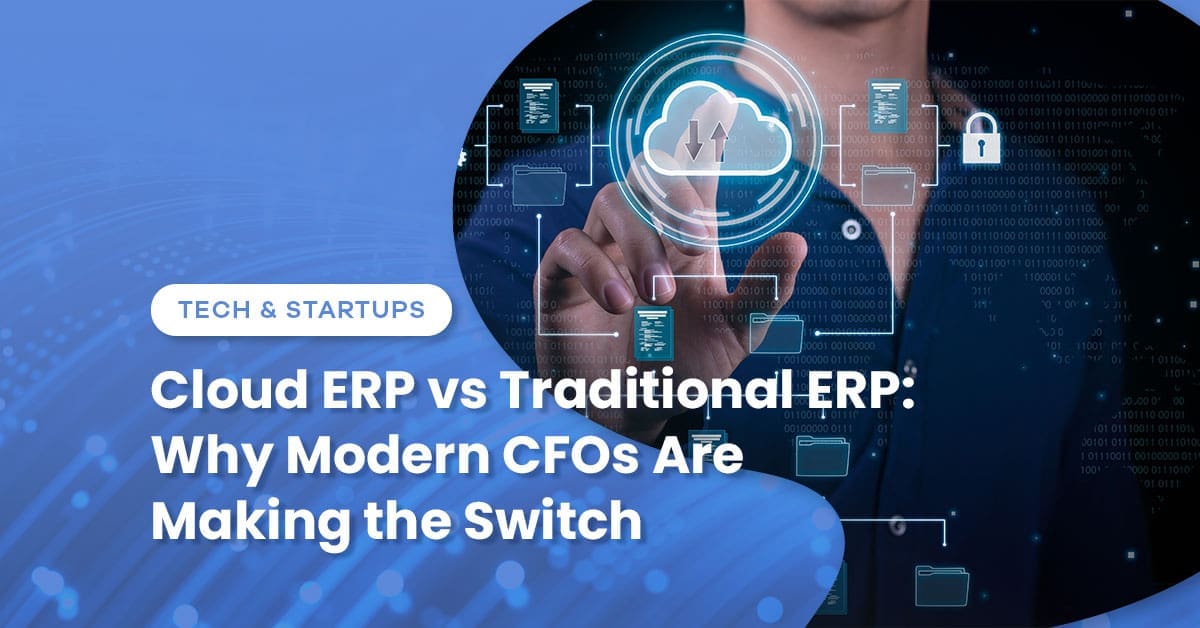
Cloud ERP vs Traditional ERP: Why Modern CFOs Are Making the Switch
February 6, 2026


Key Takeaways
- Deployment timeline: Cloud ERP implementations average 3-6 months versus 12-18 months for on-premise systems
- Cost structure shift: Traditional ERP requires significant upfront capital investment; cloud models operate on predictable subscription pricing
- Access advantage: Cloud platforms enable remote work and real-time collaboration without VPN headaches
- Bottom Line: The question isn’t whether cloud ERP is better—it’s whether your business is ready for the operational changes that come with modern financial infrastructure.
CFOs love complaining about their ERP systems.
Too slow. Too rigid. Too expensive to customize. And God forbid you need to access financial data from somewhere other than your desk—better hope the VPN cooperates.
The frustration makes sense. Traditional on-premise ERP systems were designed for a business world that no longer exists: centralized offices, predictable software update cycles, and IT departments willing to babysit servers in climate-controlled rooms.
Cloud ERP promised to fix everything. And in many ways, it has.
But the migration from traditional to cloud infrastructure isn’t just a technology swap—it’s a fundamental shift in how companies manage financial operations, data security, and long-term technology strategy. Which explains why some CFOs are sprinting toward cloud platforms while others remain skeptical.
The Architectural Difference That Actually Matters
Traditional ERP lives on your servers. You own the hardware, manage the updates, and control every aspect of the infrastructure. When something breaks at 2 AM, your IT team fixes it. When you need more capacity, you buy more servers.
Cloud ERP lives on someone else’s servers—specifically, the vendor’s infrastructure. Updates happen automatically. Scaling happens instantly. And when something breaks at 2 AM, it’s the vendor’s problem.
This architectural difference cascades into every operational aspect of your finance team’s work.
Traditional ERP realities:
- Requires dedicated IT staff for maintenance and troubleshooting
- Software updates happen on your schedule (or don’t happen at all)
- Access requires VPN connections or physical presence in the office
- Customizations require internal development resources
- Disaster recovery means maintaining backup systems
Cloud ERP realities:
- Vendor manages infrastructure, security patches, and system updates
- Updates roll out automatically (sometimes whether you want them or not)
- Access works from any internet connection
- Customizations often limited to vendor-approved configurations
- Disaster recovery is the vendor’s responsibility
Neither approach is inherently superior. They’re different tools solving different problems for different types of organizations.
The Financial Calculation CFOs Actually Care About
Let’s talk money, because that’s ultimately what drives every ERP decision.
Traditional ERP operates on a capital expenditure model. You pay high upfront costs—software licenses, server hardware, implementation consulting—then relatively modest annual maintenance fees. Think an initial investment of $200,000-$500,000 for a mid-sized implementation, then 15-20% annually for maintenance and support.
Cloud ERP operates on an operational expenditure model. Monthly or annual subscription fees based on user count, with implementation costs typically lower because there’s no hardware to configure. Think $1,000-$3,000 per user annually, with implementation costs ranging from $50,000-$200,000 depending on complexity.
Time to value: Cloud implementations typically reach functional status in 3-6 months because there’s no hardware procurement or infrastructure setup. Traditional implementations stretch to 12-18 months when you factor in server configuration, network setup, and testing cycles.
The break-even analysis depends entirely on your planning horizon. Cloud ERP costs more over 10 years for most implementations. But it delivers value faster, requires less internal IT resources, and offers flexibility that traditional systems can’t match.
What “Cloud-Ready” Actually Means
Here’s where companies get themselves into trouble: assuming cloud ERP is just traditional ERP with internet access.
It’s not.
Cloud platforms require operational changes that some organizations aren’t prepared to handle. CFOs evaluating the switch need honest assessments of organizational readiness, not just enthusiasm about modern technology.
Companies well-positioned for cloud ERP:
- Distributed teams requiring frequent remote access
- Organizations with limited IT infrastructure and staff
- Businesses experiencing rapid growth or geographic expansion
- Companies prioritizing mobility and real-time collaboration
- Firms are tired of managing server maintenance and hardware refresh cycles
Companies that should think twice:
- Highly customized implementations that don’t map to standard configurations
- Industries with strict data residency requirements
- Organizations with unreliable internet connectivity
- Businesses requiring tight integration with legacy on-premise systems
- Companies with compliance requirements around physical data control
The internet connectivity requirement deserves emphasis. Cloud ERP becomes essentially useless when your internet connection fails. For businesses in areas with spotty connectivity or those handling time-sensitive transactions, this represents genuine operational risk.
The Control Trade-Off Nobody Talks About
Traditional ERP gives you complete control. You decide when updates happen, how data is backed up, who has access to what, and every configuration detail down to the database level.
Cloud ERP gives you less control. The vendor decides the update schedule. Data lives on their servers, protected by their security protocols. Customization options are constrained by what the platform allows.
For some CFOs, this loss of control is liberating—one less thing to manage. For others, it’s a deal-breaker.
Data shows organizations in regulated industries—healthcare, financial services, government contracting—face additional complexity with cloud deployments. Not because cloud platforms are inherently less secure, but because demonstrating compliance often requires documentation and audit trails that are easier to produce when you control the entire infrastructure stack.
Integration Reality Check
No ERP system operates in isolation. You’ve got CRM platforms, payroll systems, industry-specific applications, and probably three dozen Excel spreadsheets that somehow became critical business systems.
Cloud ERP platforms typically offer better API connectivity and pre-built integrations with other cloud applications. Connecting your cloud ERP to cloud-based CRM, payroll, and business intelligence tools often works more elegantly than equivalent on-premise integrations.
But legacy system integration cuts the other way. If you’re running specialized manufacturing equipment, proprietary warehouse management systems, or industry-specific applications that only work on-premise, cloud ERP integration becomes significantly more complex.
Implementation requires 30-40% of total project time regardless of whether you’re implementing cloud or traditional systems. The technology has changed, but the fundamental challenge—getting disparate systems to communicate reliably—remains stubbornly difficult.
The Version Control Advantage (and Disadvantage)
Cloud ERP vendors push updates automatically. You’re always running the latest version with the newest features and security patches.
This is fantastic until it’s terrible.
Automatic updates keep you up to date on security patches and new functionality. But they also mean changes happen on the vendor’s timeline, not yours. When a major update drops during your busiest season, you’re along for the ride whether you’re ready or not.
Traditional ERP lets you control the update schedule. You can test changes thoroughly, train users comprehensively, and deploy during slow periods. You can also procrastinate indefinitely, which explains why some companies are still running ERP systems from 2008.
What the Migration Actually Entails
Switching from traditional to cloud ERP isn’t a simple data migration. It’s an organizational transformation disguised as a technology project.
CFOs report: The hardest part isn’t technical—it’s managing change with teams who’ve built their workflows around the old system’s quirks and limitations. Process documentation, user training, and change management consume more resources than the actual software implementation.
Plan for 6-9 months of focused effort, even for straightforward migrations. Complex implementations with significant customization or data-cleanup requirements can take 12-15 months.
Budget 20-30% above the initial quotes. Not because vendors are deliberately lowballing estimates, but because the scope expands once you start examining actual processes versus documented procedures.
Making the Decision
Cloud ERP makes sense for most mid-sized businesses in 2026. The flexibility, accessibility, and reduced IT overhead outweigh the control trade-offs for companies without specialized requirements.
But “most” isn’t “all.”
If your business runs on heavily customized workflows, operates in regions with connectivity challenges, or has legitimate data sovereignty requirements, traditional ERP might remain the better choice—at least for now.
The real question isn’t which technology is superior in abstract terms. It’s which approach aligns with how your business actually operates, where you’re headed strategically, and whether your organization is prepared for the operational changes that come with modern financial infrastructure.
Ready to Evaluate Your ERP Options?
Wiss’s Technology Solutions team helps CFOs navigate ERP selection, implementation, and optimization—whether you’re considering cloud migration or maximizing your existing on-premise investment. Schedule a technology assessment to explore which approach delivers the best long-term value for your specific business requirements.
 Previous


Share


Related Posts
Improving Operational Efficiency in Manufacturing Operations
March 20, 2026
Form 1023: How to Apply for 501(c)(3) Tax-Exempt Status
March 20, 2026

Family Office Financial Management for Multi-Generational Real Estate Wealth
March 20, 2026

AI for Nonprofits: Where Automation Actually Makes a Difference
March 19, 2026